
How Internet Fax Works: Practical Guidance for Businesses
Understanding the Basics of Internet Fax
Internet fax, often called e‑fax or online fax, replaces the traditional telephone line and fax machine with cloud‑based software that sends and receives documents over the internet. Instead of printing a paper document and feeding it into a machine, you upload a digital file—usually a PDF or Word document—and the service routes it to the recipient’s fax number.
The recipient’s side can be a conventional fax machine, a network fax server, or another internet fax service. This hybrid capability ensures that you can communicate with any party, regardless of whether they have upgraded to digital fax or still rely on legacy hardware.
Traditional Fax vs. Internet Fax
Traditional fax requires a phone line, physical paper, and a dedicated machine for each office location. Maintenance costs, paper waste, and line‑noise problems are common pain points. Internet fax eliminates the need for a dedicated line, reduces paper consumption, and offers clearer transmission because the data travels as a digital file rather than an analog signal.
Core Components That Make Internet Fax Possible
Several technology layers work together to deliver a seamless fax experience over the internet. Understanding these components helps you evaluate vendors and anticipate the level of support you’ll receive.
The primary layers include a cloud‑based fax gateway, a user dashboard or email integration, and a security framework that encrypts data in transit and at rest.
Key Technical Elements
- Fax gateway – converts digital files to the PSTN (Public Switched Telephone Network) signal and vice‑versa.
- Email or web dashboard – allows users to send and receive faxes directly from familiar tools.
- API endpoints – enable integration with document management systems, CRM platforms, or custom workflows.
- Encryption – TLS/SSL for data transmission and optional at‑rest encryption for stored documents.
Step‑by‑Step Process: How Internet Fax Works in Real Time
When you initiate an internet fax, the service follows a predictable sequence that mirrors the traditional fax flow but occurs entirely in software. Knowing each step can help you troubleshoot issues or design automated workflows.
Receiving a fax follows the reverse path: the incoming analogue signal is digitized by the gateway and delivered to your inbox or dashboard, where you can view, download, or forward it.
Sending a Fax
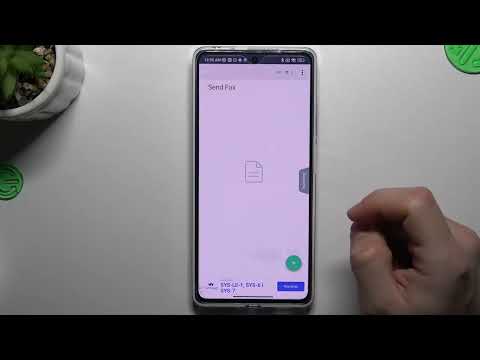
You upload a document, specify the recipient’s fax number, and press “send.” The service validates the file format, prepares a transmission envelope, and hands the data off to the gateway, which dials the recipient’s number over the PSTN.
Receiving a Fax
The gateway answers an incoming call, captures the analog fax data, converts it into a PDF, and then routes the file to your chosen delivery channel—email, web portal, or API endpoint.
| Action | Traditional Fax | Internet Fax |
|---|---|---|
| Document Preparation | Print hard copy, load into machine. | Upload digital file. |
| Transmission Medium | Analog phone line. | Internet + PSTN gateway. |
| Delivery Confirmation | Paper receipt or fax tones. | Email notification or dashboard status. |
| Storage | Physical filing cabinets. | Secure cloud storage. |
Key Features and Benefits for Modern Teams
Internet fax services bundle a range of capabilities that go beyond simple document transmission. These features align with everyday business workflows and can reduce operational overhead.
When evaluating a solution, look for the features that match your team’s needs, such as multi‑user dashboards, mobile access, or batch processing.
- Dashboard control: Centralized view of sent, received, and pending faxes.
- Automation: API hooks for automatic sending from CRM or ERP systems.
- Scalability: Add or remove users without hardware changes.
- Mobile support: Send faxes from smartphones via dedicated apps.
Common Use Cases Across Industries
Even as many businesses move toward paperless processes, fax remains a regulatory requirement in certain sectors. Understanding typical scenarios helps you decide how internet fax fits into your workflow.
Below are a few of the most frequent applications:
- Healthcare: Transmitting patient records securely to hospitals and labs.
- Legal: Filing documents with courts that still accept faxed copies.
- Real estate: Sending signed contracts and disclosures to multiple parties.
- Finance: Sharing signed agreements and compliance forms with banks.
Security, Reliability, and Compliance Considerations
Because fax often carries sensitive information, security is a top priority. Most reputable providers employ end‑to‑end encryption, access controls, and audit logs to meet standards such as HIPAA, GDPR, and FINRA where applicable.
Reliability is measured by uptime guarantees and redundancy in the gateway network. Look for providers that publish service level agreements (SLAs) indicating 99.9% or higher availability.
Pricing Models and What to Expect
Pricing for internet fax typically follows one of three structures: per‑page fees, unlimited monthly plans, or pay‑as‑you‑go bundles. The right model depends on your fax volume and budgeting preferences.
Most services offer a free trial or limited‑use tier, allowing you to assess quality before committing to a paid plan.
- Per‑page: Small businesses that fax infrequently may save money with a low cost per outbound/inbound page.
- Unlimited plans: Predictable monthly cost, ideal for high‑volume users.
- Pay‑as‑you‑go: Flexibility for seasonal spikes without a long‑term contract.
Integration, Setup, and Support Options
Implementing internet fax is usually a matter of creating an account, configuring your sending email address, and optionally connecting via API. Most providers supply step‑by‑step guides and a knowledge base.
Support channels vary from live chat and phone to ticket‑based email. Choose a vendor that offers the level of assistance your organization requires, especially if you need help with compliance configuration.
- Setup wizard: Guided configuration to link email or cloud storage.
- API documentation: Sample code for common languages (Python, JavaScript, etc.).
- Customer portal: Access to usage reports, billing, and security settings.
Choosing the Right Internet Fax Service
When deciding which solution best meets your needs, evaluate the following criteria:
- Feature set that aligns with your workflow (dashboard, automation, mobile).
- Security certifications and compliance coverage.
- Transparent pricing without hidden per‑page surcharges.
- Quality of support and ease of integration with existing tools.
By focusing on these factors, you can select a service that reduces fax‑related friction and supports your business growth. If you’re ready to explore a reputable provider, check out the best internet fax options available today.